
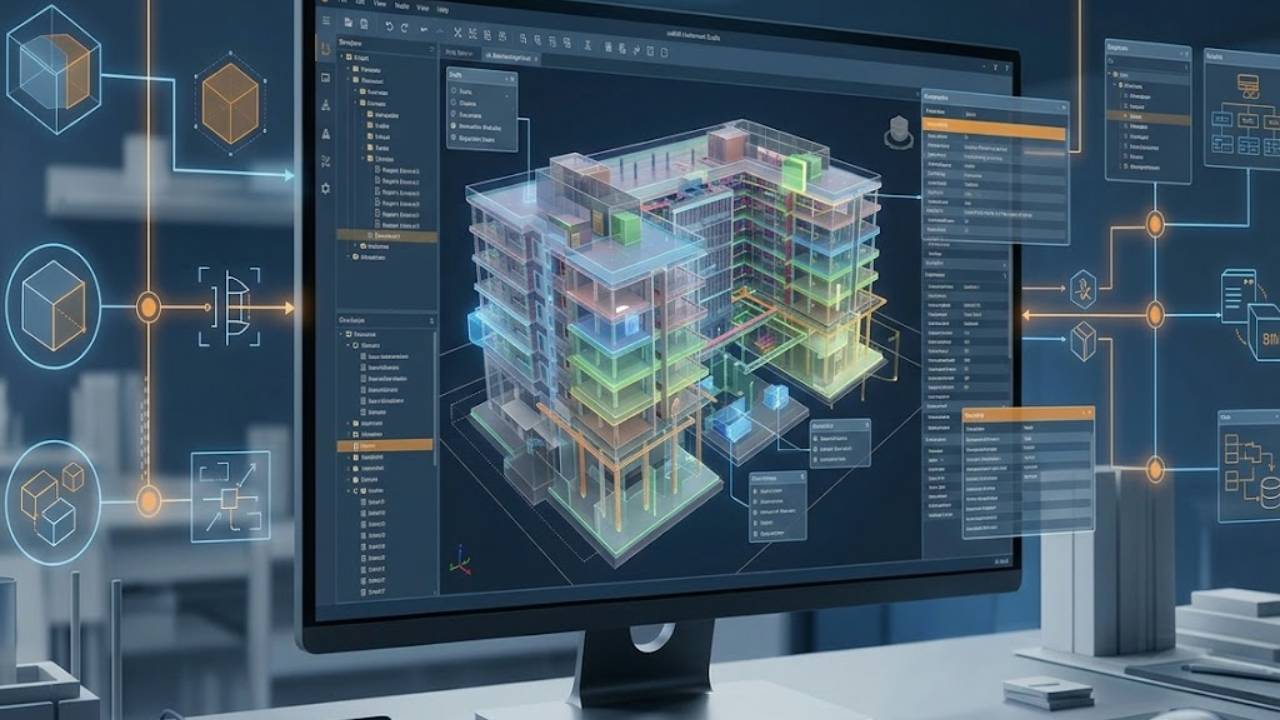

usBIM.editor — Advanced IFC Editor
Edit Any IFC File. From Any Software. Without Going Back to the Original.
Your IFC model should not be locked to the software that created it. usBIM.editor is the advanced IFC editor that gives BIM coordinators, designers, and project managers full editing control over any IFC file — geometry, properties, classifications, and data — directly in the browser or as an integrated tool within the usBIM platform. No BIM authoring software required. No version conflicts. No workflow interruptions.
Certification Callout buildingSMART International® Certified IFC Editor — verified to the global openBIM standard.
Free Trial Callout Use usBIM.editor free for one month — no commitment. Try the full advanced IFC editor capability, then choose the subscription plan that fits your workflow.
Value Pillars
Open Any IFC File. Edit Any IFC File
Open IFC models created with Revit, ArchiCAD, Allplan, Tekla, Edificius, and every other BIM authoring tool — and edit them directly, without needing the original software installed. This is what BIM IFC editor freedom actually means.
Full Geometric and Informative Editing
Move, rotate, add, modify, and delete geometric entities. Edit property sets, values, classifications, and attributes at the individual object level. Create a new IFC version with every change saved — complete and exportable.
Online IFC Editor. No Installation Required.
Use usBIM.editor entirely in the browser as a fully integrated online IFC editor within the usBIM platform. No download. No installation. Full advanced IFC editor capability from any device, anywhere.
Certified openBIM. Certified Interoperability.
buildingSMART International certified IFC file editor. Open formats. No vendor lock-in. Every IFC model you edit stays yours — in a format that every tool, every team, and every future project can use.
Guided by Isotech From Day One
ACCA software and Isotech do not hand over software and walk away. We coach and support your teams through onboarding, workflow integration, and long-term BIM adoption — because before technology, there has to be a relationship.
Platform Introduction
Your IFC Model Should Not Be Hostage to the Software That Made It.
In most BIM workflows, editing an IFC model means returning to the original authoring software. If you do not have Revit installed, you cannot change a Revit model. If the ArchiCAD file has been exported to IFC for coordination, corrections go back to the architect, wait for a response, wait for a new export, and arrive two days later than they should have.
This dependency creates bottlenecks, slows coordination, and makes the simplest data corrections unnecessarily complex. It also creates a deeper problem: IFC files accumulate errors, missing properties, incorrect values, and misassigned classifications that no one corrects because the correction process is too cumbersome.
usBIM.editor is the advanced IFC editor that removes this dependency entirely.
As a BIM IFC editor built specifically for working with IFC files — not for creating buildings in a design environment — usBIM.editor gives BIM coordinators, BIM managers, and project teams the ability to open, inspect, edit, enrich, and export any IFC model without needing the original authoring software at any point in the process.
Full editing freedom. Any IFC file. Any team member with the right access. Any point in the project lifecycle.
This is what true openBIM collaboration looks like in practice — not just in principle.
Open, inspect, edit, enrich and export IFC models without requiring the original BIM authoring software.
True openBIM Collaboration
Any IFC file. Any team member with the right access. Any point in the project lifecycle.
Core Feature: Open Any IFC File
Open and Inspect Every IFC File — Regardless of Where It Came From.
The first capability of any IFC editor worth using is simply this: it must open every IFC file it encounters, regardless of which BIM authoring tool created it and regardless of which version of the IFC schema it uses.
usBIM.editor is a certified IFC file editor that opens models produced with Revit, ArchiCAD, Allplan, Tekla, Edificius, EdiLus, and every other major BIM authoring tool in the AEC market. IFC 2x3, IFC4, and IFC4.3 are all supported.
Once open, the full model is available for navigation and inspection — by property and classification selection, not just by visual browsing. Every IFC entity, every property set, every attribute value is accessible, inspectable, and editable without restriction.
For BIM coordinators managing multidisciplinary federated models — receiving IFC files from architectural, structural, MEP, and infrastructure teams working across different software environments — this universal access is the operational foundation that makes coordinated BIM workflows actually function.
Authoring Tool Compatibility
Open IFC models from Revit, ArchiCAD, Allplan, Tekla, Edificius, and all major authoring tools
Schema Support
IFC 2x3, IFC4, and IFC4.3 supported — full version coverage
Smart Navigation
Navigate and inspect the model by property and classification selection
Full IFC Access
Access every IFC entity, property set, and attribute value directly
Independent Editing
No BIM authoring software required at any stage of the editing process
Modify geometric entities
Move, rotate, delete, and add geometric entities directly in the 3D view
Modify attribute values
Edit, delete, replace, and add property sets and attribute values at the entity level
IFC Object
Customise attributes, properties, and classifications for any IFC object
Custom Classification Schemes
Define custom classification schemes aligned to project or contract requirements
New Version of IFC Model
Create and export a new version of the IFC model with all changes applied
Multiple viewing options
Multiple viewing options: transparency levels, colour maps, property-based selection
Core Feature: Geometric and Informative Editing
Edit Geometry. Edit Data. Edit Properties. All in One Advanced IFC Editor.
Most IFC tools give you viewing. usBIM.editor gives you editing — full geometric and informative editing of every entity in the model, in a single advanced IFC editor environment without switching between tools.
On the geometric side, move and rotate individual objects or groups directly in the 3D view, using multiple viewing options including transparency levels and colour maps that make complex federated models navigable. Insert new 3D objects from the built-in BIM object library. Delete or replace geometric elements. Align models in a federated environment to coordinate.
On the informative side — the data layer that makes a BIM model useful rather than merely visual — usBIM.editor gives you complete control. Edit, delete, replace, and add properties and values for each individual IFC entity. Customise property sets and attributes. Define custom classification schemes aligned to project-specific or national standards. Assign classifications to objects in bulk or individually.
Every change — geometric or informational — can be exported as a new, clean IFC version that retains all modifications while preserving the original file's full openBIM data structure.
Core Feature: BIM Object Library
Add New BIM Objects Directly to Your IFC Model.
A common limitation of IFC workflows is that once a file has been exported from its authoring environment, new objects can only be added by going back to that environment — which means involving the original designer, waiting for the update, and exporting again.
usBIM.editor removes this constraint with a built-in library of BIM objects that can be inserted directly into any IFC model within the IFC file editor itself. Need to add furniture to a completed architectural model? Add it. Need to insert a piece of plant equipment into a MEP coordination model? Add it — without returning to the authoring software.
New objects inserted from the library are full IFC entities — with properties, classifications, and geometric data — that become part of the model file and are included in any subsequent IFC export.
This gives BIM coordinators, facility managers, and project delivery teams the ability to progressively enrich IFC models throughout the project lifecycle — adding information as it becomes available, not only at the point of original design.
Acesse of Extensicw library
Access an extensive library of BIM objects categorised for easy navigation
Inserting 3D Objects
Insert new 3D objects directly into any IFC model as full IFC entities
Enriched objects
Enriched Objects carry properties, classifications, and complete BIM data
Inserted Objects
All inserted objects are included in the exported IFC file version
Supports Progressive Model
Supports progressive model enrichment throughout the construction and operations lifecycle
Advanced IFC Editor
Full advanced IFC editor capability available entirely in the browser
Installation or Software Dependency
No desktop installation or software dependency required
Accesibility
Access from any device — desktop, laptop, or tablet
Integration
Integrated within the usBIM BIM management platform alongside all other project tools
Secure Cloud Storage
Secure cloud storage with full access control and version history
Multiple viewing options
Multiple viewing options: transparency levels, colour maps, property-based selection
Global Workforce
Ideal for distributed teams, remote project environments, and multilingual workforces
Core Feature: Geometric and Informative Editing
Edit Geometry. Edit Data. Edit Properties. All in One Advanced IFC Editor.
Most IFC tools give you viewing. usBIM.editor gives you editing — full geometric and informative editing of every entity in the model, in a single advanced IFC editor environment without switching between tools.
On the geometric side, move and rotate individual objects or groups directly in the 3D view, using multiple viewing options including transparency levels and colour maps that make complex federated models navigable. Insert new 3D objects from the built-in BIM object library. Delete or replace geometric elements. Align models in a federated environment to coordinate.
On the informative side — the data layer that makes a BIM model useful rather than merely visual — usBIM.editor gives you complete control. Edit, delete, replace, and add properties and values for each individual IFC entity. Customise property sets and attributes. Define custom classification schemes aligned to project-specific or national standards. Assign classifications to objects in bulk or individually.
Every change — geometric or informational — can be exported as a new, clean IFC version that retains all modifications while preserving the original file's full openBIM data structure.
Core Feature: IFC Federation and Model Coordination
Add New BIM Objects Directly to Your IFC Model.
Managing a BIM project means managing multiple models from multiple disciplines — architectural, structural, MEP, infrastructure, and more — each produced independently and each needing to be coordinated against the others.
usBIM.editor supports IFC model federation directly within the BIM IFC editor environment. Multiple discipline-specific IFC models can be loaded, aligned, and coordinated in a single session, with the full editing capabilities of the advanced IFC editor available across all models in the federation.
Move and rotate individual models to align them with the coordinated federation. Inspect and edit properties across all federated models simultaneously. Use transparency and colour-mapped viewing options to navigate complex, multidisciplinary environments. Export a coordinated, corrected, and enriched IFC file that reflects the full state of the federated model.
For BIM coordinators managing large-scale infrastructure projects in the GCC — where multidisciplinary project teams span multiple offices, organisations, and countries — the ability to coordinate, inspect, and correct a federated IFC model within a single online IFC editor session eliminates significant workflow complexity.
Multi-IFC Loading
Load and align multiple IFC models from diffrent disciplines in one session
Discipline Federation
Federate architectural, structural, MEP, and infrastructure models simultaneously
Cross-Model Editing
Edit and manage properties across all models in the federated environment
Model Navigation
Use viewing options to navigate complex multi-discipline model sets
Federated Export
Export a coordinated and corrected IFC file covering the full federated model
Property Cleanup
Remove confidential or unnecessary authoring properties before sharing IFC files
Attribute Correction
Correct property values and populate missing attributes directly in the IFC file editor
EIR Compliance
Prepare models for specific information exchanges against EIR or BIM Protocol requirements
Validation Workflow
Works alongside usBIM.checker for a complete validate-edit-revalidate workflow
Submission Export
Export a clean, corrected IFC file version ready for immediate submission or handover
Core Feature: Data Cleaning and Property Management
Prepare Every IFC File for Every Information Exchange — Clean, Correct, and Complete.
One of the most practical use cases for an IFC file editor is data hygiene — preparing an IFC model for a specific information exchange by ensuring it contains exactly the properties it should carry and nothing it should not.
usBIM.editor provides the tools to do this systematically. Before sharing an IFC file with another team member, a contracting authority, or a downstream system, use the advanced IFC editor to remove internal authoring properties that contain commercially sensitive or confidential information. Correct property values that are incorrect or inconsistent. Add properties that are required by the receiving party's information requirements but were not populated during authoring.
This capability is particularly important for GCC project environments where IFC models are submitted against specific EIR or BIM Execution Plan requirements, where government clients have defined information exchange standards, and where the consequences of submitting a model with missing or incorrect data range from rejection to contractual dispute.
Used alongside usBIM.checker — the IFC validation software in the same usBIM platform — the IFC editor and checker together create a complete IFC quality assurance workflow: validate what the model contains, edit what needs to change, and revalidate before submission.
Full Capabilities Summary
The Full Advanced IFC Editor Capability Set.
The usBIM Ecosystem
usBIM.editor Is One Part of a Scalable BIM Management Platform.
usBIM is the BIM management system that integrates IFC editing, IFC validation, BIM clash detection, common data environment, geospatial digital twin, facility management, and more — in one configurable, cloud-based environment. Start free with 10GB of cloud storage and a full suite of BIM interoperability tools included.
Add usBIM.editor for advanced IFC editing. Add usBIM.checker for IFC model validation. Add usBIM.clash for BIM clash detection. Add usBIM.platform for a full ISO 19650 CDE. Every tool integrates with every other. Subscribe only to what your project requires, and scale as your programme grows.
What Our Testimonials Say

Marcin Pszczolka
Poland • Civil Design Lead
Pierpaolo Canini
SwitzerlandVictor Fuentes
Chile
David Quevedo
Ecuador
Marcin Pszczolka
Poland • Civil Design Lead
Pierpaolo Canini
SwitzerlandVictor Fuentes
Chile
David Quevedo
EcuadorIsotech Differentiator
An Advanced IFC Editor with Regional Coaching and Implementation Support Behind It.
usBIM.editor is certified advanced IFC editor software from ACCA — the world's number one IFC-certified openBIM expert, with more buildingSMART certified software solutions than any other company globally. As Isotech, we bring it to AEC firms, infrastructure developers, and government project teams across the Middle East and Africa with the implementation expertise and BIM workflow experience that complex regional projects require.
Deploying an IFC file editor as a systematic part of your BIM coordination workflow — rather than an occasional standalone fix — means configuring it correctly within your CDE environment, training BIM coordinators and project managers on how to use it most effectively, and integrating it with your validation and clash detection processes. Isotech provides all of this, with dedicated on-site support, multilingual onboarding, and a long-term relationship that does not end at software delivery.
In a region where BIM adoption is still maturing and teams are at different stages of their digital transformation journey, we meet you where you are — and coach you to where you need to be.
Deployment Configuration
Full usBIM.editor configuration and deployment for MEA project environments
CDE Integration
Integration of the online IFC editor into existing CDE and BIM coordination workflows
Team Training
Training for BIM coordinators, BIM managers, and project delivery teams
Workflow Design
Workflow design connecting IFC editing with validation and clash detection processes
Multilingual Onboarding
Multilingual onboarding and dedicated on-site support
Technical Support
Ongoing technical assistance with regional project knowledge
“Before technology, there has to be a relationship. We work alongside your teams to ensure successful adoption, measurable value, and long-term operational success.”
Technology Partner
We are proud to partner with ACCA Software, a global provider of BIM, digital construction, and Common Data Environment (CDE) solutions. Through this collaboration, we leverage advanced technologies that support ISO 19650-compliant workflows, streamline project coordination, and enhance information management across the entire project lifecycle.
This partnership enables us to deliver innovative, scalable, and industry-aligned solutions that help clients improve collaboration, efficiency, and project outcomes.
Questions Worth Answering Up Front.
What is an IFC editor and what does it do?
An IFC editor is a software tool that allows you to open, inspect, and modify the content of an IFC file — the geometry, properties, classifications, and attribute data of every object in the model — without needing the original BIM authoring software that created it. Where a BIM viewer lets you see an IFC model, an IFC editor lets you change it: correcting errors, adding missing data, enriching objects with new properties, inserting new BIM objects, and exporting a clean, updated IFC file version. usBIM.editor is an advanced IFC editor that provides both geometric and informative editing capability in a single, browser-accessible environment.
Why use a dedicated IFC file editor instead of returning to the BIM authoring software?
Returning to the BIM authoring software for every IFC correction creates dependency, delays, and workflow bottlenecks. If the correction is a data-level change, a missing property, an incorrect classification, a property set that needs to be restructured before handover — there is no reason it should require access to Revit, ArchiCAD, or any other authoring environment. A dedicated IFC file editor handles these corrections directly, faster, and without involving the original design team for purely informational changes. It also handles corrections that are impractical in authoring software, bulk property management, confidential data removal before sharing, and cross-discipline data consolidation — more efficiently than any authoring tool is designed to.
What is the difference between an IFC editor and an IFC viewer?
An IFC viewer lets you open and navigate an IFC model, view the geometry, inspect properties, and review it visually. An IFC editor gives you all of that plus the ability to make changes: edit properties, modify geometry, insert new objects, reassign classifications, and export an updated IFC file. usBIM.editor is an advanced IFC editor that includes full viewing and navigation capability alongside complete geometric and informative editing — so you do not need both tools separately.
What BIM authoring software does usBIM.editor support?
usBIM.editor opens and edits IFC files created with any BIM authoring software that outputs to the IFC standard — including Revit, ArchiCAD, Allplan, Tekla, Edificius, EdiLus, VectorWorks, AutoCAD, and all other major tools in the AEC market. IFC 2×3, IFC4, and IFC4.3 are all supported. As a certified BIM IFC editor, usBIM.editor is designed around the IFC open standard — which means it is inherently compatible with every compliant authoring tool, not dependent on any specific one.
What is the online IFC editor and how does it work?
The online IFC editor is the browser-based version of usBIM.editor, fully integrated within the usBIM platform. It requires no desktop installation, runs in any browser on any device, and provides complete advanced IFC editor capabilities, geometric editing, property management, classification customisation, BIM object insertion, federation support, and IFC export. It is accessible to any authorised team member from any location, making it ideal for distributed project teams and for the multilingual, multi-office project environments common across the Middle East and Africa. The online IFC editor is free for one month as part of the usBIM platform trial.
Can I use usBIM.editor to prepare IFC files for information exchange?
Yes. One of the most important practical applications of an IFC file editor is preparing models for specific information exchanges — ensuring they contain the correct properties, correct values, and correct classifications before submission to a client, contracting authority, or downstream system. usBIM.editor lets you add missing properties, correct incorrect values, remove confidential authoring data before sharing, and restructure property sets to meet EIR or BIM Execution Plan requirements. Used alongside usBIM.checker — the IFC validation software in the same usBIM platform — you can validate what a model contains, edit what needs to change, and revalidate before submission, all within the same environment.
Is usBIM.editor suitable for large federated BIM models?
Yes. usBIM.editor supports IFC model federation directly within the BIM IFC editor environment — multiple discipline-specific IFC models can be loaded, aligned, and coordinated in a single editing session. The platform handles large model files with high-performance rendering and supports unlimited project scale. For large-scale infrastructure projects across the GCC, where federated models may combine architectural, structural, MEP, and infrastructure components from multiple teams — usBIM.editor provides the coordination and editing capability needed without compromising on performance or requiring separate tools for each discipline.
What support does Isotech provide for usBIM.editor implementation?
Isotech provides end-to-end coaching and implementation support for usBIM.editor across the MEA region — from environment configuration and workflow design to team training and long-term technical assistance. We help BIM coordinators and project teams integrate the advanced IFC editor into their existing CDE workflows, connect it with validation and clash detection processes, and establish the repeatable editing standards that make IFC data quality a consistent project output rather than a last-minute correction exercise. Our support is built on long-term relationships and regional project knowledge — not one-time deployments.